Revisiting a Lost Art: A Clock That Never Loses Time
Five years ago, I built an ESP8266 clock that sets itself. It still runs today—so what changed now that AI can help us build hardware?
The clock in my living room was slow again.
It wasn’t a serious problem. It barely qualified as something worth solving with code. But taking the clock down every so often and resetting it against my phone eventually got annoying.
I wanted a clock that could set itself and still look good in a living room, but I couldn’t find one.
So I built it myself.
Five years later, that clock—made from an ESP8266 and a strip of LEDs—is still hanging in my home, syncing with network time every five minutes and running just fine. Seeing AI spark a new wave of homemade ESP devices recently made me realize something: writing firmware with Google, Stack Overflow, and the Arduino IDE might now qualify as a lost art.
I also briefly documented the project in My Smart Home at the time.
Why the Living Room Clock Kept Drifting
You might ask: does a clock really need to be that accurate?
Honestly, no. A quartz clock drifting by a few dozen seconds each month isn’t going to ruin anyone’s life. The annoying part is not knowing how far off it is. If you glance at the clock on your way out and have to mentally add, “I think this is about three minutes slow,” the clock has already lost some of its usefulness.
I only needed two things:
- It should know the correct time without needing regular manual adjustments.
- It should look good enough for a living room—not like one of those red-on-black LED clocks in a bank or train station.
The first was a technical problem; the second was a design problem. At the time, products on the market usually solved only one of them. The attractive clocks couldn’t set themselves, while the ones that could looked like public infrastructure.
If You Can’t Find It, Build It
The clock itself is fairly simple:
| Part | Purpose |
|---|---|
| ESP8266 WeMos D1 mini | Connect to Wi-Fi, fetch the time, and control the lights |
| WS2812B LED strip | Form four seven-segment digits |
| Micro USB | Supply power |
| Enclosure and diffuser | Turn the electronics into something suitable for a living room |
A seven-segment display is the familiar number shape used in calculators and digital clocks. Each digit consists of seven bars; lighting different combinations produces the numbers 0 through 9. Instead of buying a ready-made oversized display module, I cut an LED strip into pieces and arranged them into four digits.
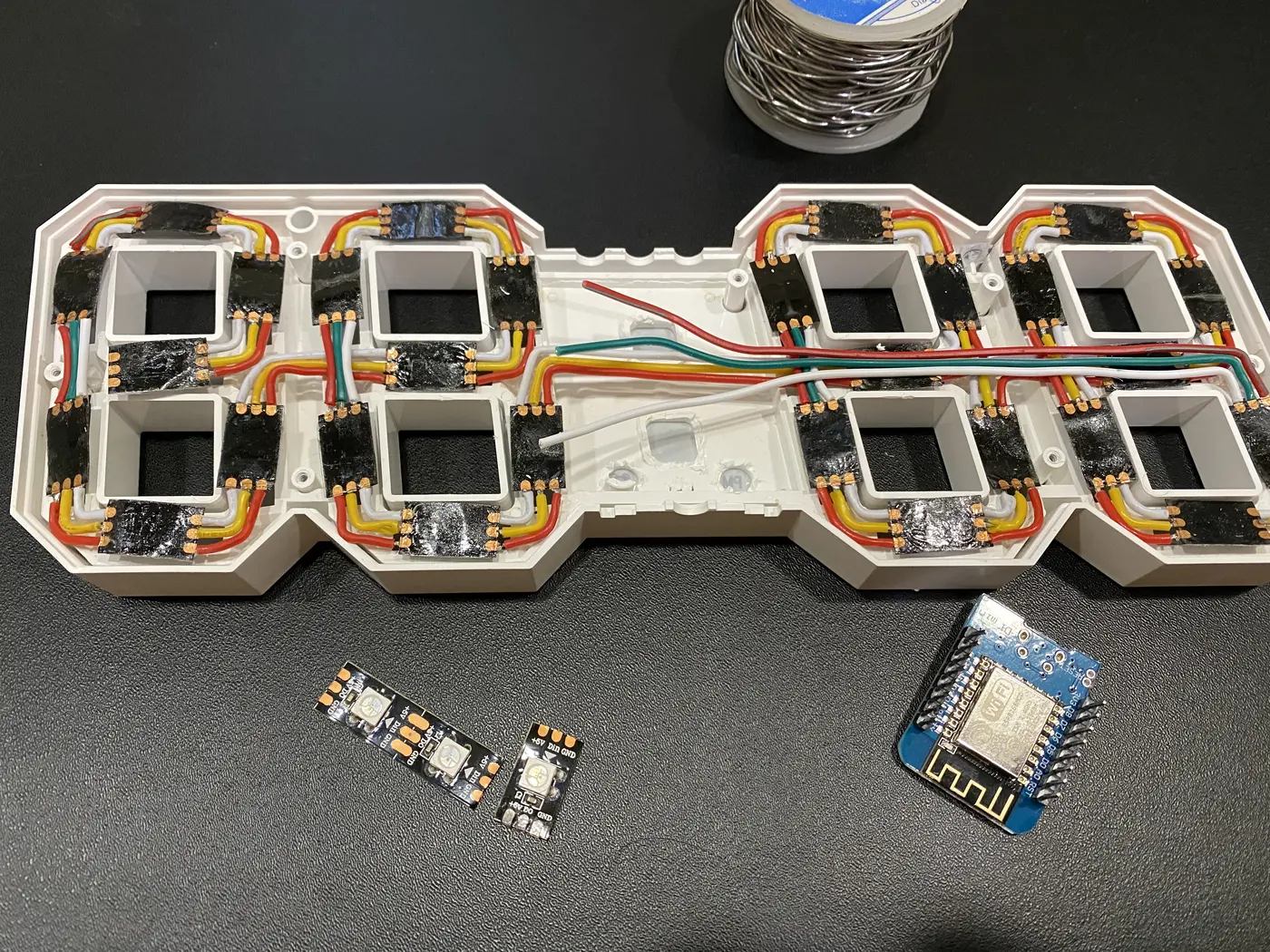
The LED strip was cut into small sections, then soldered into four seven-segment digits.
Once connected to my home Wi-Fi, the ESP8266 fetches the correct time through NTP and resynchronizes every five minutes. On its first boot, it creates its own Wi-Fi hotspot so I can enter my home network details in a browser. After saving and restarting, it connects and begins displaying the time.
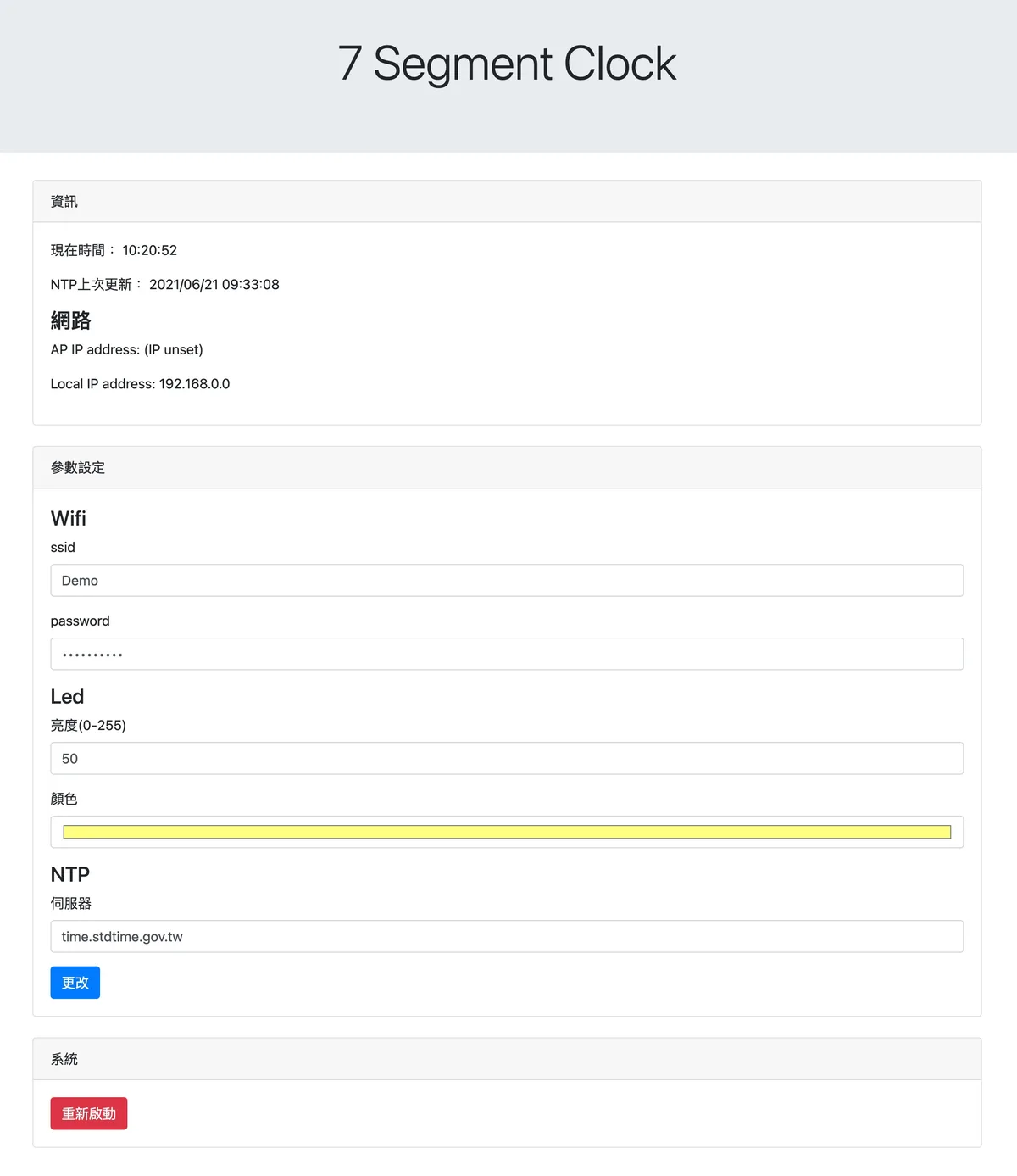
The original configuration page controls Wi-Fi, the NTP server, brightness, and color.
Sounds simple, right? But there is a fair amount of work between “making the LEDs turn on” and “building an appliance you can use every day.”
Beyond the web interface, I also exposed an HTTP endpoint so Home Assistant could control the clock.
During the day, the clock displays the time at normal brightness. When I run the “Good Night” scene in HomeKit, Home Assistant switches it to a dimmer, warmer night-light mode. An automation restores it the next morning.
Those features directly answered the original need: the time had to be accurate, the clock couldn’t look out of place, and it couldn’t light up the room at night. I didn’t start with an ESP8266 and go looking for a use. I started with a minor everyday annoyance, and the clock grew out of it.
The Lost Art of Building Before AI
Back then, when I didn’t know how to implement something, the process usually went like this: search for a few keywords on Google, open some tutorials and Stack Overflow answers, guess which snippet was closest to my problem, paste it into the Arduino IDE, and see if it compiled.
If it failed, I tried another search. Even a successful compile didn’t mean the feature worked. I still had to flash the ESP8266, connect the LED strip, and see what happened. Firmware isn’t like a web page where you can press refresh and immediately see a change. Every attempt meant compiling, uploading, rebooting, and then observing how the hardware responded.
That was how I slowly assembled the Wi-Fi setup, NTP synchronization, EEPROM storage, web controls, and LED display: search, test, and repeat. Looking back, the code isn’t necessarily elegant, and some of it could probably be replaced by more mature libraries today. But it has been running for five years.
Five Years Later, It Is Still Running
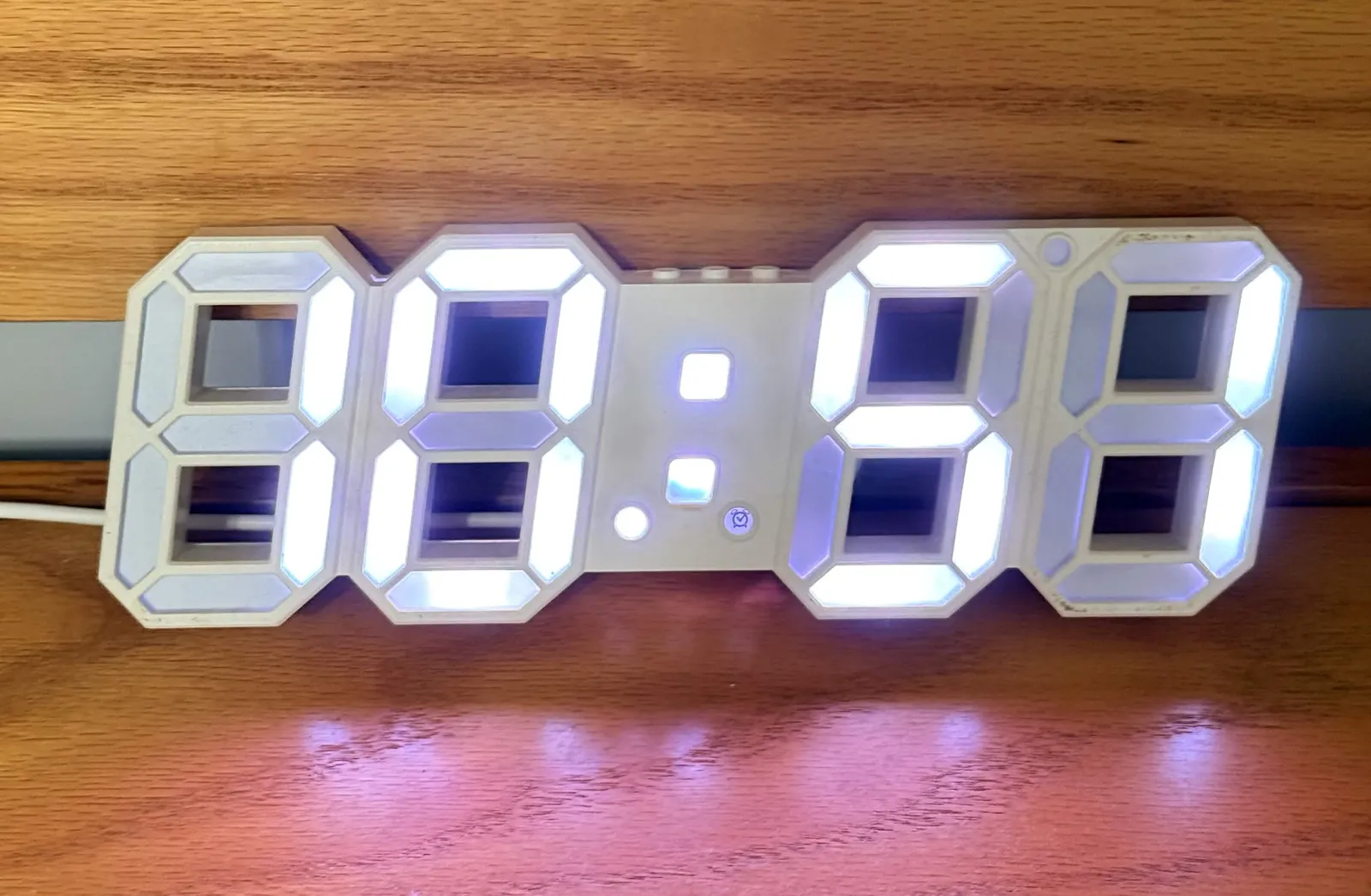
The fact that a side project has kept running for five years surprises me more than any extra feature would.
It has no cloud account and doesn’t depend on a vendor’s app. It gets the time from public NTP servers, serves its configuration page directly from the ESP8266, and communicates with Home Assistant over the local network. As long as my home Wi-Fi and NTP still exist, the clock can keep working.
Of course, it isn’t maintenance-free. It needs to be reconfigured when the network changes, the LEDs and power supply will age, and its old firmware hardly meets today’s security expectations. But so far, it hasn’t turned into electronic waste because a company shut down its service, removed an app, or introduced a subscription.
That may be a benefit I never deliberately designed: it has few features and few dependencies, so there are fewer things that can break.
Does the Market Have an Answer?
Looking again five years later, there are certainly more clocks that set themselves. Beyond traditional radio-controlled clocks, there are now Wi-Fi wall clocks, NTP digital clocks, and smart displays that also show weather and notifications.
If the only requirement is “never drift,” there are plenty of answers. But once appearance, price, display style, nighttime brightness, and local-network control all become requirements, the list quickly gets shorter. The attractive options may cost too much; the feature-rich ones can still look like office equipment or public signage. Some appear to do everything, but rely on a vendor’s app and cloud service.
So the answer is yes: I could buy one now. But I might still choose to build it myself.
Afterword
What began as a weekend project to solve a minor annoyance in my living room ended up running for five years. It taught me something: technology becomes obsolete, but something that genuinely solves an everyday problem doesn’t necessarily share the same fate.
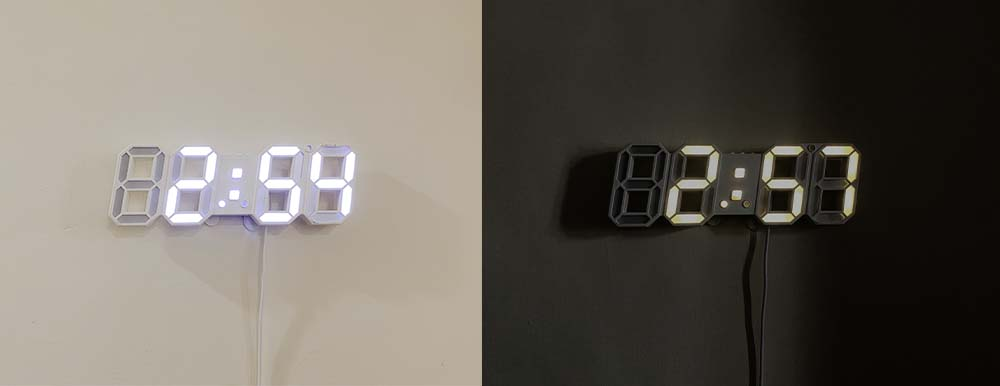
As AI advances, the technical barrier to building things will keep falling, but the needs in our lives don’t change with it. When more of the implementation can be handed to AI, what matters may be whether we notice the problem in the first place—and whether we have the initiative to turn an idea into something real.
Reference

Logan
Senior software engineer, passionate about coding and smart home 🏠